Import FHIR data to Healthlake Datastore

info
- Follow the steps mentioned below.
- Total time taken for this task: 5 Minutes.
- Pre-requisites: Create Input Dataset.
Import Job
- Navigate to Healthlake created in the previous step.
- Switch to
IMPORT JOBStab.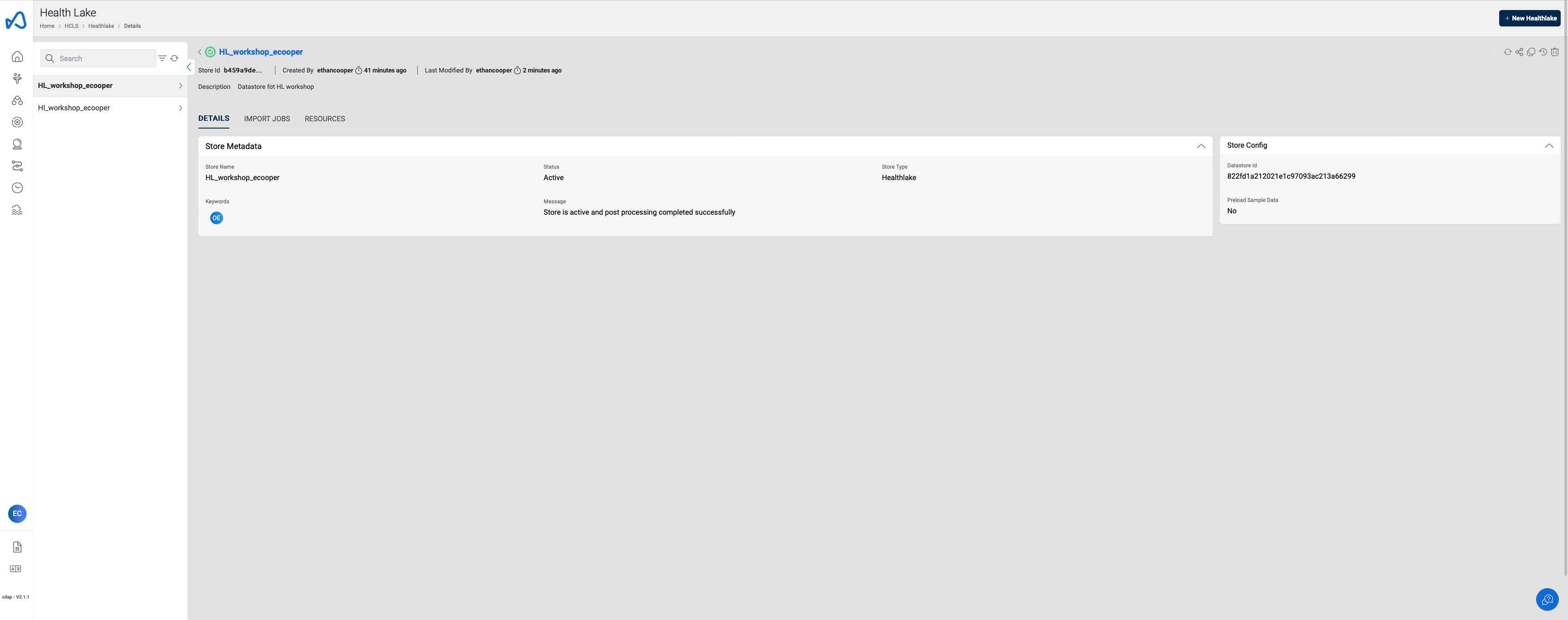
- Click on
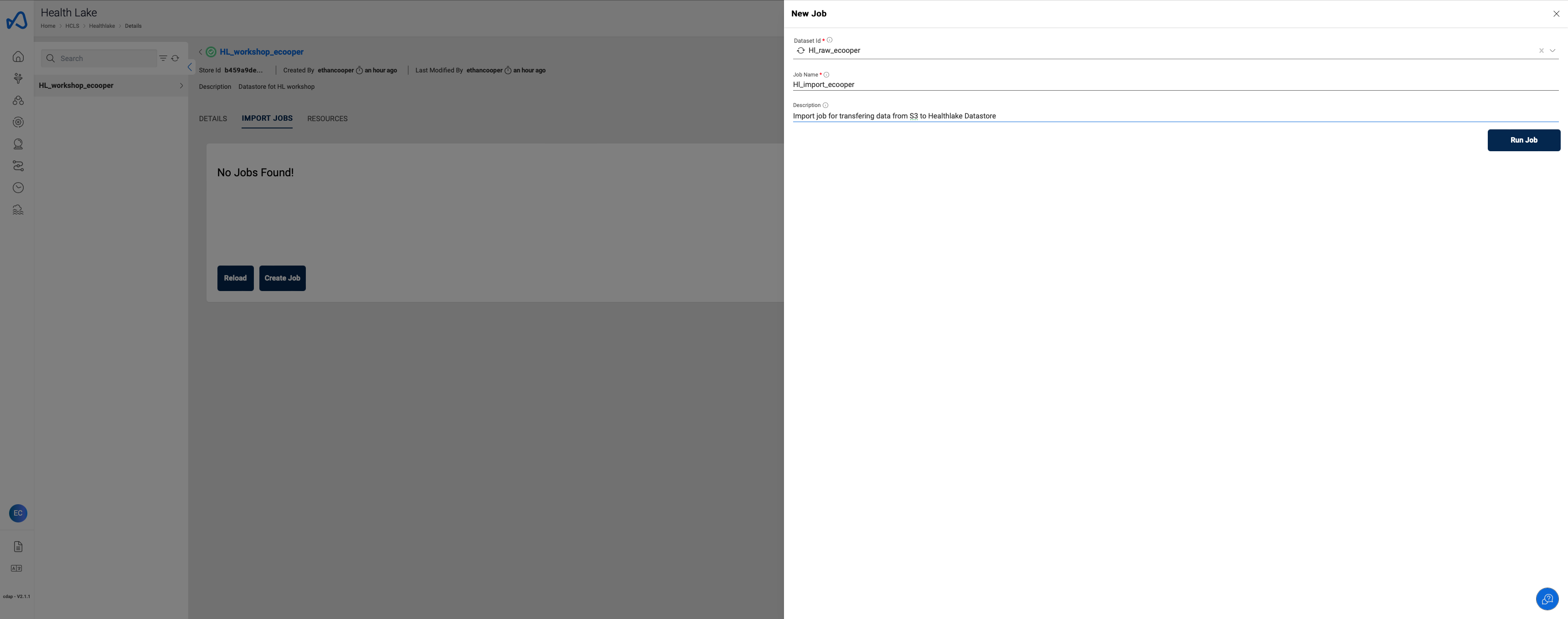
➕ New Jobbutton at the top right corner to create a data import job. - Enter the following details and click
Run Job.
"Dataset id" : "HL_raw_<user_id>"
"Job Name" : "HL_import_<user_id>"
"Description" : "Import job for transfering data from S3 to Healthlake Datastore"
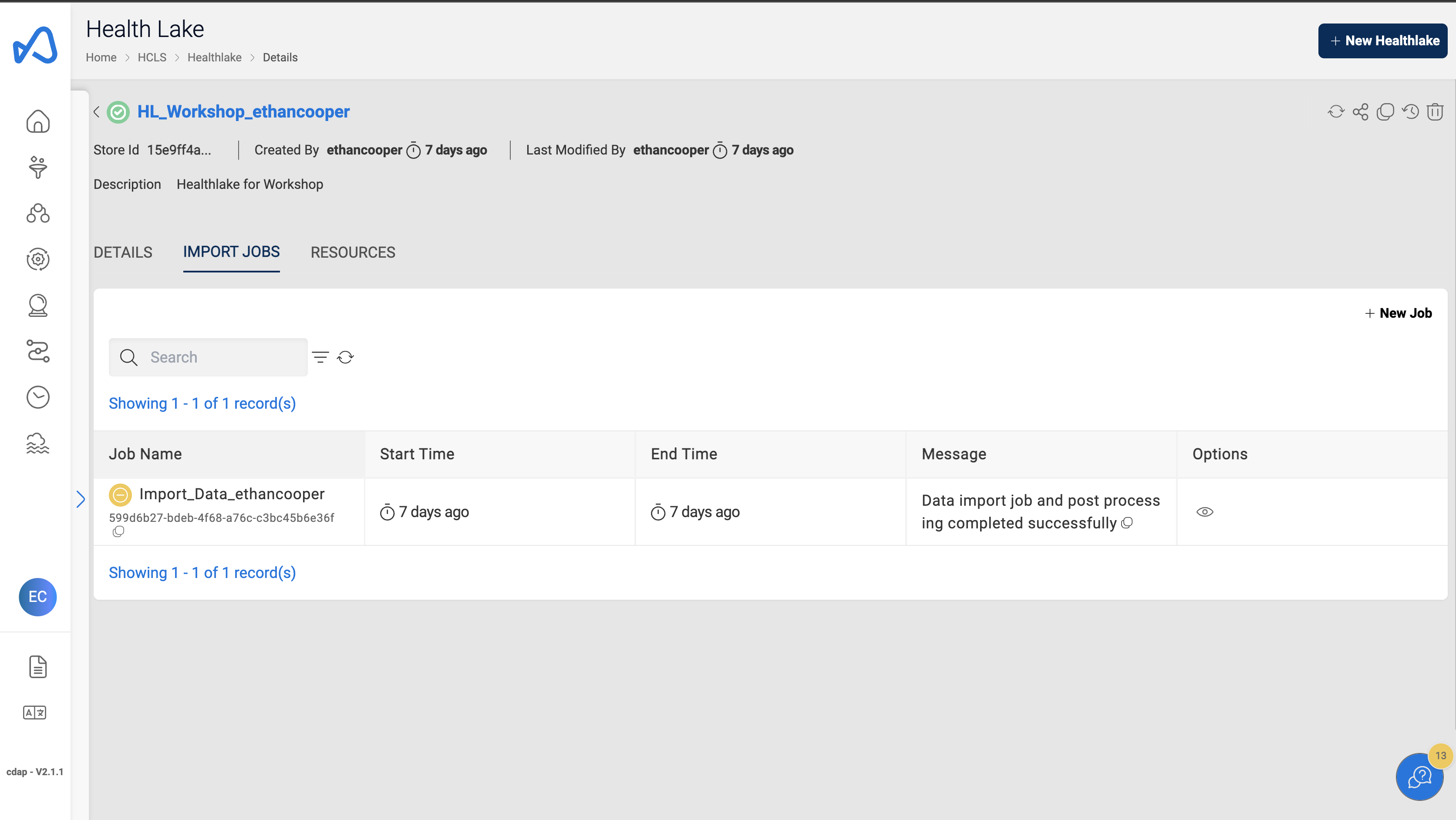
- Monitor the job under
Import Jobstab of the healthlake.
Sample Import Job
Congratulations!!!
You have learned how to import data to Healthlake in Amorphic. Now, proceed to ETL task.